Posts Tagged ‘photoshop’

Cool Link: Hipstamatic Effects with Photoshop: A little how-to

Adobe PhotoshopMany readers search the web for a Photoshop plug-in that does what the Hipstamatic app does so effortlessly on an iPhone.

In case you missed it back in September, Moritz Fürst posted a tutorial in the Hipstamatic Flickr Group on how to apply some of Hipstamatic’s effects using Photoshop. It’s pretty easy if you know your way around your computer, but it does involve opening up and peeking around the app’s package files. It’s a technique that’s not for the faint of heart.

Read the rest of this entry →

Review: Resize-Photo – image interpolation for iPhone

resize photo image interpolation for iPhone

Resize-Photo screenshots

.

Resize-Photo
Version 1.1
Price: $0.99

Rating 3 1/2 stars

Bottom Line: A great app for enlarging images on your iPhone. Has a few bugs when reducing them for email or MMS.

Resize-Photo by iLegendSoft is a tool to help you change image size on your iPhone. If you subscribe to a keep-it-all-on-your-iPhone line of thought on iPhoneography, Resize-Photo eliminates the need to enlarge your images on a computer using Photoshop. Believe it or not, there’s sometimes a need to reduce the size of your photos, and Resize-Photo does that quickly, but has a few bugs when downsizing images.

Read the rest of this entry →

New LoFi Poll: iPhone Photo Editors

.

We’ve got a new LoFi Poll this week.

I’m often asked if I could recommend one iPhone photo editor, which would it be. It really is a difficult question to answer as there are a lot of factors to consider, such as level of experience in photography and Photoshop. Which, of course, leads to the question “If I could  choose only one image editor, which would it be?” And thus, this week’s poll.

Read the rest of this entry →

How To Restore Missing Photoshop CS5 Features

Many iPhoneographers use Photoshop for image editing or tweaking of either their iPhoneography or for other purposes (I use Photoshop extensively for work in my graphic design studio.)

When Adobe updated the recently released Photoshop CS5, it removed a bunch of filters and presets that had been available in previous versions. I looked through the list. I can see why some of them were cut, such as the VM performance plugins that are no longer necessary with today’s larger, faster computers. Others left me wondering why they were dropped, like the Texturizer presets or the Web Photo Gallery plugin.

We’re still using CS4 in-house. I’m usually not quick to upgrade. In the past, even the most tempting Adobe upgrades often require some additional hardware upgrades to run well, whether it’s RAM, larger hard drive, faster CPU or just an entirely new machine.

Adobe has now made these features and plugins available once again as a separate free download. CreativePro has a complete list of these missing features, as well as more information.

=M=

~~~~

Tags:

Photoshop.com Mobile updated. New tools and still free!

Photoshop.com App

The latest version of Photoshop.com Mobile has just been released. We reviewed the app previously and, for the most part, this update builds on all that was good about the first release.

The new 1.1.0.21 update adds several tools which should have been included in the first release. Straighten, Sharpen and Contrast tools are now included, as well as several new borders. The Sharpen and Contrast tools work like the other adjustment tools in PS Mobile, with a finger swipe across the screen. The Straighten tool uses a two-finger gesture to rotate the image to an onscreen grid. All three tools are pretty straightforward and easy to use.

Read the rest of this entry →

The Best Free iPhoneography Apps: Image Editors

UPDATE 03.10.11: We’ve updated this list for 2011. Be sure to check out our new post “The Ten Best FREE iPhone Photo Apps” featuring both free camera replacements and some great free iPhone photo apps. =M=

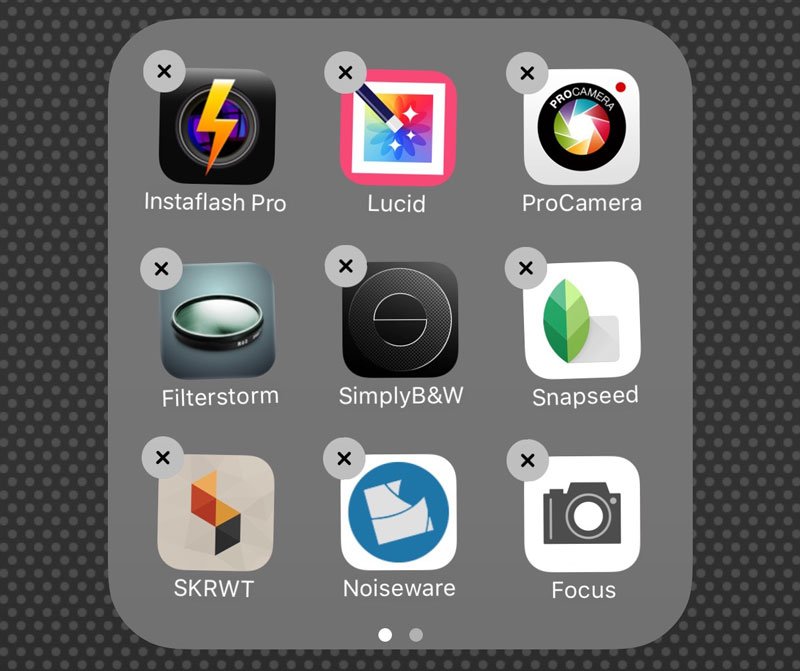
Recently, I wrote about The Best Free iPhoneography Apps: Camera Replacements. Now that you’ve shot your image, how are you going to process it? Here are nine great image editing apps and best of all, their price is free!

Free Photo Apps for iphone

I realize that this list is not complete. There were several apps that I didn’t include for various reasons. In compiling this list, I found some apps that duplicated features of others. In those cases, I chose what I felt to be the app that did the job quickest, easiest and best. Also, there are great free apps being released all the time.

Some of these apps may be ad-supported, but none of them add a watermark to your images and all save at or really close to your iPhone’s full resolution, unlike many lite photo apps available. These are all full-featured apps and they produce good, if not outstanding effects. Again, for little more than bandwidth and real estate on your iPhone’s screen, there are some gems to be found in the photography section of the App Store. These apps should start you off with a well-rounded iPhoneography toolbox or enhance your existing iPhone “camera bag” — and all for free.

Read the rest of this entry →

PhotoForge for iPhone: Updated and On Sale

Photoforge

PhotoForge

PhotoForge by GhostBird Software just got a new update and for a limited time, the price has been reduced to $1.99. After this weekend, the price goes up to $4.99 USD.

Several apps have tried to wear the namesake of “Photoshop for the iPhone” including Photogene and PerfectPhoto. PhotoForge truly is the image editing powerhouse for iPhone. I use both this and Photogene regularly to process my images. If you’re only using Photogene, you are missing out on so much that your iPhone is capable of.

Read the rest of this entry →

News: Photogene on Sale for $0.99 Again! Thru 10/25/09

Photogene

Photogene

Photogene is one of my favorite photo apps for iPhone and one of my go-to apps. Photogene allows you to do some Photoshop-like manipulations on your iPhone, such as adjust gamma, curves, exposure and saturation. It also features several effects to dress up your images. It’s fast, easy and stable.

Normally $2.99 USD, it’s on sale once again this weekend only for $0.99 — over 65% off! Good through Sunday, October 25, 2009.

It’s worth it at three bucks. It’s a steal at a dollar. If you don’t already have this app, this new sale makes it even more a no-brainer. This gets you into the update path as well. Grab it now!

Link to Photogene on the App Store.

=M=

Review: Photoshop.com Mobile for iPhone

Photoshop.com App

Photoshop.com App

Photoshop.com Mobile
Version 1.0

Bottom Line: Recommend!

Several apps have worn the mantle “Photoshop for iPhone”, including Photogene and PhotoForge, two of my favorite image editing apps for iPhone. Now, Adobe has finally unleashed a version of Photoshop for iPhone. Photoshop.com Mobile brings several of Photoshop’s functions to the iPhone, including crop, rotate and flip, color basics, and Photoshop filters and effects. The app works as a standalone app on your iPhone, but to get the benefit of all of its features, you should use it in tandem with a Photoshop.com account.

It’s not the app you’re expecting, though. There will be Photoshop purists who will be angry and disappointed at this 1.0 release. PS Mobile is missing many of the capabilities you would expect from an app that bears the name Photoshop. It is not the definitive image editing app. However, this app is a very good app that has a nice toolset that you can use to enhance your images.

Read the rest of this entry →

Photoshop.com App for iPhone Released

Photoshop.com App

Photoshop.com App

Several apps have worn the mantle “Photoshop for iPhone”, including Photogene and PhotoForge, two of my favorite image editing apps for iPhone. On October 8th, Adobe finally unleashed the Big Daddy of all image editing apps for iPhone, bringing a version of Photoshop to the mobile platform.

Photoshop.com Mobile brings many of Photoshop’s functions to the iPhone, including crop, rotate and flip, color basics, and Photoshop filters and effects. Even better, the app is free!

I haven’t had a chance to test this yet, but it looks like images are stored in the cloud at Photoshop.com and not on your iPhone. This means you’ll need to open a free Photoshop.com account to take advantage of this app’s features.

So far, the reviews are 4s and 5s on the App Store. I’ll let you know what I think after I’ve had a chance to work with the app. We’ll see how it compares to other image editing apps and which ones live up to the Photoshop namesake.

Photoshop.com Mobile is available for free on the App Store.

=M=