

Yesterday, we (and just about every other news source) reported that Facebook is buying the popular social photo network Instagram. Many Instagram users are concerned with the changes Facebook’s ownership will make and with the privacy concerns of sharing their photos using Facebook’s terms of service and with the possibility of Facebook using Instagram’s data for marketing purposes.
Personally, I’m not one of them. I’m not going to ditch Instagram over the Facebook buyout. I already make it easy enough for Big Brother to track me anywhere, so I feel like I might as well enjoy the tidbits I get in return. If you don’t share my view, iPhoneographer Dixon Hamby has shared with us some of his suggestions for extricating yourself from Instagram and also serves up his recommendation for an alternate social photo network.
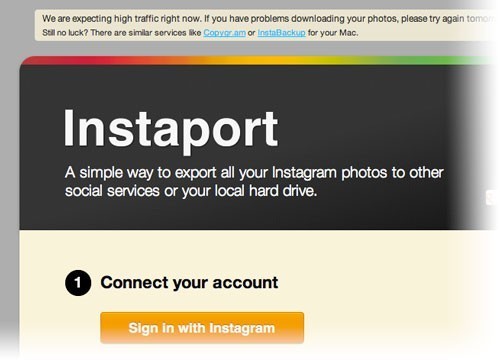
First, you don’t want to lose your photography. Even if you already have it backed up somewhere else, redundancy is good. In the wake of yesterday’s events, Dixon shared a link to a service and a Mac app that let you grab and download all the photos in your Instagram photostream. Visit this link here on TheNextWeb.com to learn how to download and delete your Instagram account.
The link recommends a service called Instaport.me to extract your images. If you are having issues with the service, you can also try a free, Mac-only app called InstaBackup to download your photostream.
Dixon also checked out the existing social photo networks. His recommendation? picplz as an iPhoneographer-friendly alternative to Instagram.
Dixon says:
“Now that instagram has been purchased by Facebook, any photos posted are subject to FB’s onerous terms of service. I found that PicPlz app default setting is “All Rights Reserved.” The user rights settings can’t be seen from app, but if you go to picplz.com > (Account) > PicLicensing, you can see the settings and change it if you’d like. The app also has easy sharing to Facebook, Flickr, Tumblr, Twitter, Posterous, etc.”
Again, I’m not recommending that you ditch Instagram for other social networks. None of the existing one will have anywhere near IG’s numbers, if they ever do. But, if that’s what you choose to do with your photos, Dixon Hamby’s recommendations should make the transition easier for you.
=M=
~~~~
You can follow Dixon Hamby on Twitter/@DixonHamby

