
Rant: It’s Not a Crusade Against All 320×480 Apps

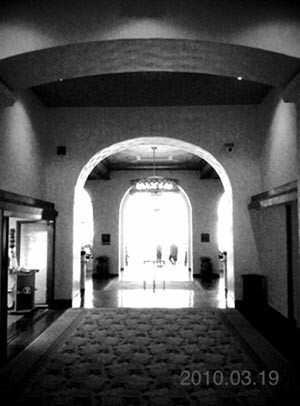
This is all you get. Full-size output from one of the recent super-low res camera apps (300x400 pixels)
Another day, another super-low-res monochrome camera is released in the App Store.
With the number of monochrome camera apps that save at the iPhone’s full resolution — Vint B&W, Spica SuperMonochrome, and others — and the number of apps that do an excellent job of converting images to monochrome — CameraBag, MonoPhix, CameraKit — I don’t understand why it’s suddenly become so difficult to produce apps that save to at least 1200×1600 resolution.
One of my biggest peeves in the App Store is the recent glut of super-low-res photo apps. These are the apps that save images at 320×480 pixels (or less) — the iPhone’s screen resolution. Seriously, that’s 0.154 megapixels. The original VGA resolution from the late 1980′s was 640×480 pixels.
An app that saves at 320×480 is nearly useless in my opinion. Don’t think you need more pixels that that? Your 320×480 images will look horrible on an iPad. You can forget about prints. A 320×480 pixel image will only make a print that’s about 2″ x 3.25″. That’s pushing it and it will still be fuzzy.
They won’t look much better on your monitor. Super-low-res images lack detail and sharpness no matter where they’re viewed. They simply don’t have the pixels to hold detail.
These super-low-res images are only good enough to send MMS phone-to-phone or to make wallpapers for your iPhone. They aren’t even large enough to look good online in Facebook, Flickr or Picasa.
If all of these other apps have been able to save 2MP files since the dawn of the App Store, why has it now become so hard to desaturate an image in full-resolution?
Why are these apps even released? In the comments section below, I welcome responses from developers who create super-low-res apps. I’m willing to have an open-minded debate on any merits of 320×480 apps.
Granted, sometimes an app’s goals overreach what the OS will let it do. For instance, last year I discovered an app which emulated a slow shutter time, creating some great motion effects. This was a very innovative camera app. At the time, there was nothing even comparable. Unfortunately, it saved at super-low-resolution. Apple doesn’t allow developers to tinker directly with the shutter speed of the iPhone. The developer told me how their app worked, but that saving at higher resolutions wasn’t possible, saying “I know well the output resolution is too low. However, I cannot do it for the life of me.” I felt sorry for this developer. But, they were honest and upfront in the description about the limitations of the app.
Many times, though, I think it’s just lazy programming. For example, there are dozens of full-resolution cameras already available that can shoot in monochrome. A noise reduction blur has been available in PhotoForge for a long time and the app is able to save any image size your iPhone’s RAM can handle. Apps like TiltShift Generator and FocalLab have been in the app store for a while; they have great focus tools and they save in full-res. I can’t imagine that those APIs are restricted from developers.
Some developers even charge a buck or two for apps that destroy your image size. What angers me the most is when a developer describes their app and everything it does, yet they leave out the very critical fact that the app only saves at 320×480 from the app’s description. With a 5 megapixel iPhone rumored to be released later this year, I think it’s both deceptive and irresponsible to omit this information from an app’s description.
I have much more respect and much less anger towards a super-low-res photo app that clearly states what its maximum resolution is. Then the choice is mine whether I want to spend money, time, bandwidth or all three on an app that produces tiny photographs which are only suitable for texting.
As a buyer, I want to know what I’m getting before I purchase. Without full disclosure, these camera apps aren’t a purchase, they’re a gamble. This not only irritates me when I get a clunker, but it erodes the confidence I have as a consumer in the App Store. While I realize that it’s only a dollar, when enough people unwittingly buy these apps, it’s rewarding lazy or deceptive behavior.
Ideally, it would be nice if every app that wasn’t full-resolution had the resolution information stated in its description. As long as people can be duped into spending a buck for a sub-par app, I don’t think this will ever completely happen.
It would be nice if Apple were to require this information to be disclosed the app’s description, but this would require additional testing on the part of Apple to ensure compliance and would increase the time from an app’s submission until its release. Apple has steadily been trying to reduce the submission-to-store time.
As consumers, all we can do is to be careful. Read the online app reviews here and at other iPhoneography web sites. Read the App Store reviews. Lately, it seems that reviewers have been very diligent at exposing these unannounced low-res apps in their reviews.
Developers, trust us to purchase your apps. Be honest with us up front. Don’t surprise us. Sure, you’ll lose sales, but you’ll generate far fewer complaints, one-star reviews and ill will if we purchase your super-low-res apps with our eyes wide open.
</rant>
=M=
~~~~


I haven’t read all of the responses yet, but basically:
1. Low Res apps are created by lazy, opportunistic bottom feeders. @Takayuki Fukatsu brought up some other potential reasons related to outdated apps.
2. Apple should add a couple of required fields for any camera app: Max resolution and whether the app takes advantage of iPhone’s Photo Album (I no longer buy apps that don’t support the Photo Album or save as hi-res, so no point in trying to sell them to me).
3. Apple should provide free demo capability for all apps. No legitimate developer would have a problem with providing a demo and it would probably mean better apps initially instead of having to wait a year for what should have been a version 1 app. The lack of demos completely supports abuse and in fact promotes an almost spam-like approach to business practices (i.e. drop app, take the money, run, rename, drop another app, take more money, run, rename…).
4. Bloggers should take a few minutes and look at some well designed blogs (or dare I say it, print) and take some design/usability cues. For example, a callout box with res and other feature specifics would be a trivial task (hint: [div class="callout"][/div] .callout: margin: 20px; border: 1px solid #eee; padding:10px; background-color….). This would save a lot of time for the readers of the blog. It is just as annoying having to scroll through gobs of text just to find out that the app doesn’t support the Photo Album or creates postage stamps.
5. Another idea for bloggers…perhaps integrate a “tweet this” feature much like what MacHeist does that makes it supper simple for people to tweet about an app to avoid. Something like Avoid app: x as it doesn’t support feature x which means you can’t x.
Like I said, I didn’t go through all the comments above so a lot of this is probably repetitive…in that case…+1…
So glad I stumbled across this conversation. Thanks to Danny Goodman for his free app, PhotoSize, as it has helped me realize that some of the images I was sending out were far less than acceptable, and virtually unprintable. Also, thanks for mentioning that trick of copy/pasting your photo into an email rather than using the share feature to maintain resolution, as I did not realize this was the cause for sending out low res versions of my photos.
Much respect to Marty and LifeInLofi, and Glyn of iPhoneography.com, as these are the two premier iPhoneography websites as far as I can tell, (and the only two to have a home on my homescreen) to keep the community informed about apps, contests a goings-on in the iPhoneography community. Also kudos to SCW, the bulldog in the community, who likes a good scrap with dev’s who put out lo-res apps, and does so on all of our behalf, really.
Note: I’d really like to see Chase Jarvis’s BestCamera app see an update. I really liked this app when it first came out for it’s simple interface and the ability to upload to many different social sites at one time. However the ability to work & save at full res. is always such a challenge. I’d like to be able to work and save at full res without it CRASHING all the time! That’s all, is it really too much to ask? CameraBag was really my first photo editing app and is still one of my favorites. Saves at full res and rarely if ever crashes.
-Max
@Mario,
I know. I really like travel….
=M=
I’m the developer of Auto Adjust and I listen to these rants and will respond with a rant of my own!
What’s interesting is that it’s actually an extra step in the code to down sample an image from the library to 320×480. My only guess is that it’s to conserve memory in favor of not crashing (and actually what causes my app to crash when it does), but through extensive testing I’ve found that a first generation iPod Touch running iTunes in the background can easily (although slowly) deal with bitmapped 1600×1200 images from the library, and the iPhone 3GS can work with the 2560×1600 OS X wallpapers (and actually haven’t found the ceiling on what the iPad can do). I’m absolutely astonished that apps do this. It really doesn’t make sense.
HOWEVER, it’s different for realtime photo taking apps. The framework for capturing the camera stream is in the private not-allowed-in-app-store category, but a framework we CAN use lets us capture the phone’s display’s pixels (which is 480×320). Of course, there is an obvious workaround to this, which I don’t intend to give away to these developers right here.
MY guess is these apps are typically from developers who are new to the platform (both iPhone AND OS X) and have no idea how Quartz works (or image processing in general for that matter), and instead rely on terrible bandaids they learned when trying to do anything graphics related in Java or .net
Right now, I am trying to remove any apps that give me low-res photos. In fact, I limiting the use of any apps that reduce the pixel number of photos when I process them on the phone. I really wish that Camera Tan would save at 1600 X 1200 on the 3G; I really dig the filters they have.
I just talked about this on my blog: http://chromocam.tumblr.com/post/487398126/the-making-of-chromocam-hi-res-iphoneography
I blame a few lines of code that developers might cling to- [view.layer renderInContext:UIGraphicsGetCurrentContext()];
Basically, dumping any view straight to memory and then from there you can save it easily to the photo library. The trick is to have offscreen coregraphics buffers, which isn’t too difficult, but it can be scary rotating and translating some big chunks of memory. And therein lies the fun…