
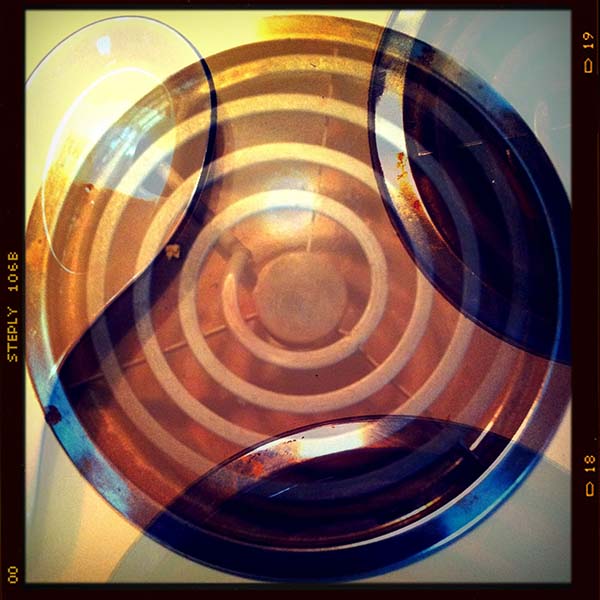
 Fusioncam by Steply has just been released. It’s an easy to use classic toy camera with multiple exposure capabilities, just like a real toy camera.
Fusioncam is FREE today, Tuesday, May 31. After today, it’ll spend some time at $0.99 before going up to its regular price of $1.99.
To try Fusioncam, download the app now while it’s free, then click past the jump to see what I think of the app.
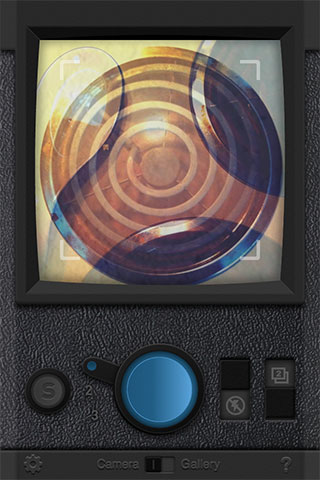 Fusioncam is a decent addition to a crowded field of toy camera apps. It’s got a good looking UI that’s very plastic and cheap-looking — it looks like the iPhone equivalent of a plastic toy camera. Although the app opens to a guide of the app’s controls, if you blow by that, Fusioncam is still easy to figure out.
It’s got three film settings — an oversaturated LOMO-style, a warm, reddish expired film style and a classic black & white. It’s the basics for a toy camera app, but other Steply apps have a lot more filters available. Hopefully, we’ll see more of them in future updates. The available effects look good. They are overall effects and there is no variation in the toy camera effects anomalies. There’s only one frame. It’s an authentic-looking square format frame and looks good, but there’s no variation, no automatic frame numbering (which would be really cool!) and no option to turn it off. The colors are rich and visually pleasing. It’s a good black & white with good contrast and nicely saturated shadows. It all looks good. I just wish there were more of it.
Fusioncam supports three resolutions on an iPhone 4 — 600×600, 1000×1000 and full resolution square 1936×1936.
Where the app shines is its ability to combine multiple exposures, like a real plastic toy camera. Fusioncam is easily switchable between single and multiple shot modes. It grabs the last exposure saved to its gallery and overlays it onscreen to help with image composition before combining the two. Overall, multiple exposures a very easy with this app.
You can save to the iPhone’s camera roll and share to the Steply Photo Network only. You’ll need a Steply account to share it there and that’s one more social photo network to keep track of. There is no built-in sharing to Facebook, Twitter, email or other social networks — an omission that adds a few steps if you want to share your images and reduces the value of the app if you don’t share on Steply’s network.
Fusioncam is a fun addition to Steply’s lineup of toy camera apps. It’s not the most full-featured toy camera app available, but worth adding to your camera bag if the Steply Photo Network is where you do a lot of photo sharing.
Fusioncam is normally $1.99 in the App Store. It’s $0.99 now for a limited time. Requirements: Compatible with iPhone, iPod touch, and iPad. Requires iOS 4.0 or later.

=M=


~~~~
UPDATE 06.02.11 @ 9:45: Removed some of the free download references after the promotion expired. =M=

