

Simply B&W
Version 1.0
Price: $0.99

Bottom Line: A simple tool/camera app that creates great looking black & white conversions comparable to user favorite Vint B&W — but updated and with much more flexibility.
 Simply B&W is a new black & white camera/processing app from developer Mr. B. Ware. It was written to fill the void left by Vint B&W, which hasn’t been updated by its developer for a long time (although it still works on the latest iPhones). Users of Vint B&W should give this one a shot — it has a better toolset and they may find this to be a good, newer, more useful replacement to the classic black & white camera app.
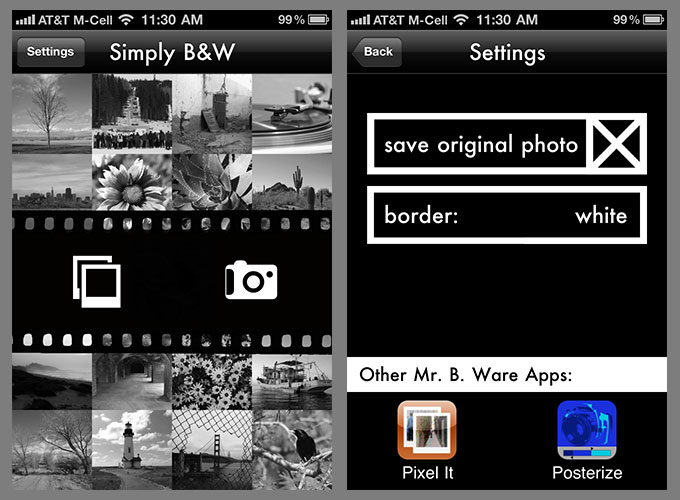
First, Simply B&W creates great looking black & white photos. You can either use it as a camera or load images from your iPhone’s photo library. In camera mode, you can also choose to save your original photo. The black & white conversion algorithms are excellent with nice contrast and deep, rich blacks. Simply B&W supports your device’s full resolution — over 5 MP on an iPhone 4. Unfortunately, it strips out most EXIF data including geotag information.
Simply B&W lets you optionally add either a simple white or black border — this feature is in the app’s settings. Even better, the app adds the frame outside the image — it causes no pixel loss. There’s also a Brightness/Contrast adjustment tool in the app which lets you make basic tweaks before saving your processed image. There’s an excellent color conversion filter where you can choose from six different colored lens filters to enhance certain colors and shades in a photo, similar to Photoshop’s Black & White conversion tool.
How does the photo stack up to Vint B&W? Pretty close for me. The black & white conversion is rich and full of nice-looking contrast, unlike the flat grayscale found in many other black & white conversion apps. I found that Simply B&W’s contrast was a touch softer than Vint B&W’s. That was easily fixed with a quick contrast adjustment in the app’s tools for users who want to replicate the look. Many users might prefer the additional details in Simply B&W’s shadows and 3/4 tones. Also, Simply B&W lacks the small, subtle vignette that’s added to the corners of images shot with Vint B&W. It would be great if this were an option in a future update.
I like the black & white look that Simply B&W creates. It’s like Vint B&W improved and MonoPhix Lite-Lite. It’s an easy utility that creates great-looking black & white photos. Unlike Vint B&W, you’re not tied to the image that you get. Simply B&W gives you much more flexibility in creating black & white photos quickly and easily. This first release of the app gets a lot of things right. I like Simply B&W.
Simply B&W is only $0.99 in the App Store. Requirements: Compatible with iPhone, iPod touch, and iPad. Requires iOS 4.0 or later.
Download SimplyB&W

App Store link: SimplyB&W – James Moore
=M=

UPDATE 07.04.11 @ 21:15: Changed post from a “focus” to a review. Added the four-star rating. =M=
~~~~

