Posts Tagged ‘Photogene’

iPhone 4 Photo App Compatibility [UPDATED]

iPhone 4Updated: 01.07.11

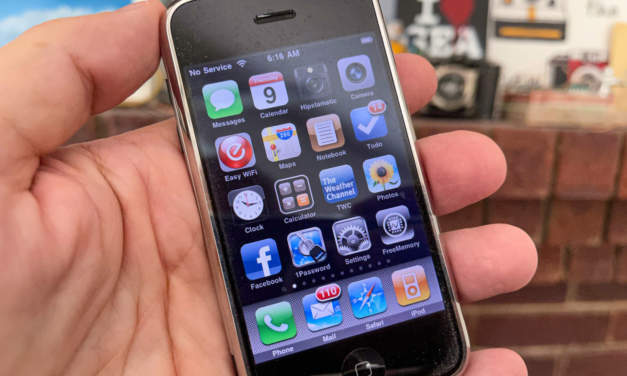
The new iPhone 4 brings a better, 5MP camera to iPhoneography. How do your favorite iPhone photo apps work with the new hardware and the new iOS 4? I found that many of them work surprisingly well on the iPhone 4.

Some apps have already been updated to take advantage of the auto-focus camera introduced with the iPhone 3GS and many apps have recently been updated for iOS 4 compatibility.

Life In LoFi has created this searchable chart which lists how many of the popular photo apps (and even a few obscure ones) work with the new iPhone 4 and the new OS. The table also lists the maximum output resolutions and if there are any other known issues with the app. This isn’t necessarily an indication of how the apps will perform in iOS 4 on an older device, but how they perform on the iPhone 4.

See how your favorites fared below, after the jump.

Read the rest of this entry →

Musings: On the Eve of the iPad

Apple iPad iPadography

The New iPad from Apple

In about 20 hours from the time of this writing, the world changes. You are here to see it.

Tomorrow morning, Apple’s iPad will be unleashed to the world. I truly believe that the iPad will change in a very big way how we receive content and information. I believe the iPad will create new industries, rescue old ones that are embracing the new slates, and be a nail or two in the coffin of others that can’t or won’t adapt.

Read the rest of this entry →

Technique: Fix iPhone EXIF rotation from the command line

One of the issues that occasionally pops up for me is that sometimes pictures taken on my iPhone don’t display with their proper rotation in some, non-Apple instances. I encounter this more often with third-party apps, but it still can be an issue. A new post by TJ Luoma over at TUAW — The Unofficial Apple Weblog gives a very interesting, very technical, very geeky way to fix this issue using a utility called jhead. Personally, I prefer to run my images through Photogene on my iPhone, fix any rotation issues and everything is then fine.

This link isn’t presented here so much as a “how-to” but as another peek behind the curtain as to how the iPhone camera works. Note: I’ve found easier and less intrusive ways to fix this issue (see Photogene mention above). If you’re feeling brave, remember that you’re peeking and poking around data. Be sure you know what you’re doing. Always work on a copy of your image. Any time you’re working with the raw code of a file, there’s a chance that you may hose your image.

Apple uses an EXIF tag to rotate images. This can be a problem when you share images with others. Safari will rotate the image correctly, but no other browser will.

Adding to the trouble is that Mail.app and the Finder will also “auto-correct” the rotation, so it can be hard to tell which images need to be “fixed” and which don’t.

Read the full article here at TUAW.com >>>

~~~~

iPhoneography: SFO in Monochrome

San Francisco, California
January 29, 2010

iPhoneography: Bob's Broiler Before Bar Close

Bob's Broiler Before Bar Close

iPhoneography: The Big Moon

The Big Moon

iPhoneography:On the 30 Bus Going the Wrong Way

On the 30 Bus Going the Wrong Way

iPhoneography: Street scene from a bus window

Street scene from a bus window

Toolbox: Vint B&W, Photogene, Format126

=M=

~~~~

My iPhone Camera Bag updated

This updated Camera Bag post will also go in the navbar above. I wanted to share the evolution of my iPhone. You can read my original Camera Bag post here.

page 4 on my iPhone

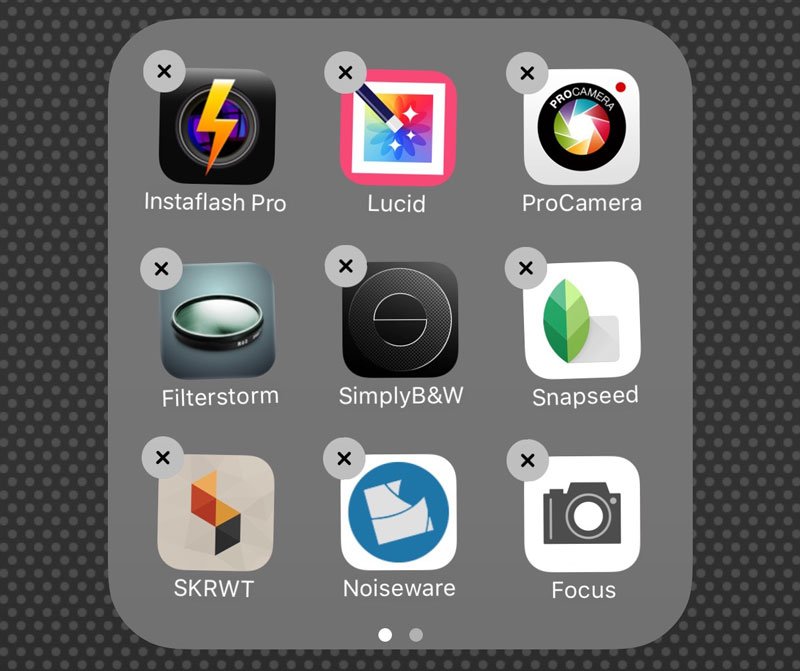
Some of my other camera apps. Page 4 on my iPhone

The best camera is the one that’s with you and the one that’s with me nearly all the time is my first generation 8 GB iPhone 2G.

I don’t use one app exclusively to shoot with. I have several and try to match up the image with the app. One of the features that makes the iPhone camera unique is the availability of thousands of photography-related apps. For less than the cost of a DVD, you can basically get a whole new camera experience.

iPhone apps are constantly being created, updated and improved. Since I first wrote my original Camera Bag post, several new apps have been released and several apps have been improved to the point where they have leapfrogged ahead as far as functionality and performance.

I find myself shooting with many different apps than the first time I wrote about my iPhone’s camera bag. Here’s my updated toolbox — the go-to apps I’m currently using.

Read the rest of this entry →

iPhoneography: The Texas Hotel

November 14, 2009
The Stockyards
Fort Worth, Texas

The Hotel Texas

The Hotel Texas

Toolbox: CameraGenius, Photogene

I love neon and I love The Stockyards in Fort Worth. It’s what you think of Texas if you’re not from Texas, except the livestock here is mostly for show now. Main and Exchange is pretty much tourist central or bachelorette party-ville. The further you get away from Main Street, the bars get better, I think. One of the best bars I’ve ever been to was across the street from Hotel Texas. For a northside bar, it was pricey to get in to. The bar itself was in an old, old building, even by Fort Worth standards. It was a smoky little place about the size of two boxcars and was the only place in the Stockyards where you’d hear the band play old Bob Wills and Hank Senior songs.

=M=

Technique: How to Edit Images on an iPhone: Adjust Your “Gamma”

In my graphic design studio, I work with images all day (and often well into the night), color correcting and manipulating them in Photoshop. All of the monitors in my studio are profiled and calibrated. While we can’t profile and calibrate the iPhone’s screen, we can use some of the concepts behind monitor calibration and make a simple change to help improve the results you get when you are making color moves in Photogene, PhotoForge, or other image editing apps for the iPhone. This is especially critical when you’re adjusting Color, Contrast and Lightness settings in your images.

Read the rest of this entry →

PhotoForge for iPhone: Updated and On Sale

Photoforge

PhotoForge

PhotoForge by GhostBird Software just got a new update and for a limited time, the price has been reduced to $1.99. After this weekend, the price goes up to $4.99 USD.

Several apps have tried to wear the namesake of “Photoshop for the iPhone” including Photogene and PerfectPhoto. PhotoForge truly is the image editing powerhouse for iPhone. I use both this and Photogene regularly to process my images. If you’re only using Photogene, you are missing out on so much that your iPhone is capable of.

Read the rest of this entry →

iPhoneography: Two Theaters: The Grand

Two theaters, The old Arlington downtown and The Grand in Fort Worth.

iPhoneography: Arlington Theater

Arlington Theater

iPhoneography: The Grand

The Grand

iPhoneography: When I Am Weak

When I Am Weak

Camera Bag: Camera Genius, CameraBag, Photogene, Photoshop.com Mobile

I never got to see a movie at The Grand. It was closed long before I ever found it. I had lived in Fort Worth for years and had always heard that part of town was pretty sketchy — dangerous for kids without any street sense.

My best friend and I got brave one day. “Come on, Tom, show me the hookers and the drug dealers. Take me down Rosedale.” Starting from the Interstate, we made our way east. We passed by old wooden houses with peeling paint and bars on the windows. There were red brick churches with leaning signs and hand-me-down playground equipment. As we drove, I saw nothing sketchy. It was just an old neighborhood that had seen better days.

There was a little jog in the road and that’s when I saw the theater for the first time. In this old neighborhood, I didn’t expect to see a movie theater, let alone an old movie palace. We’d stopped at the light. I had a few seconds to look. It was huge and old and was silhouetted against the horizon. The tall balcony side faced the road we were on. The paint on the red brick had worn off over the years — you could barely make out the name. The doors were boarded up. The marquee was blank.

The light changed. We moved on to our Friday night. Over the years, I’ll drive down Rosedale just to see if it’s still there. I pull up to the light and The Grand still greets me.

=M=

iPhoneography: Two Theaters

When I was a kid growing up, we’d never heard of multi-screen cinemas. The fancy theaters were spelled -tre at the end. We went to the local theater. Ours was The Plaza, spelled out in an early sixties script in pink neon letters that glowed large over the marquee. There was always a double feature — two current movies. The big show started the evening matinee. The second feature started around 7:00 or so and the big show played again at 9:30 or 10:00. If you got there early, you could get in cheap and see “Jaws” twice in one night.

There was only one auditorium and it felt like it could seat the whole town. The floors sloped gently. In a packed show, odds were good that you would see the back of someone’s head covering up part of the screen. If you were tall like me, you were “that guy.” The chairs were always plush, thickly padded and upholstered in velour — usually red. There were previews before each feature. If you were really lucky, you got a cartoon.

Today, most of those big, one screen movie houses are gone — either closed, demolished, or converted to live music venues. I like going to movies now. I love digital projection, Dolby THX sound and stadium seating. The old theaters, though, were a different experience. They were a different way to see the movies.

=M=

Haltom Theater. Haltom City, Texas

Haltom Theater. Haltom City, Texas

Shot with Camera Genius, processed with CameraFix

The Lakewood Theatre. Dallas, Texas

The Lakewood Theatre. Dallas, Texas

Shot with Camera Genius, processed with Photogene

Lakewood Theatre. Dallas, Texas

Lakewood Theatre. Dallas, Texas

Shot with Camera Genius

Lakewood Theatre. Dallas, Texas

Lakewood Theatre. Dallas, Texas

Shot with Camera Genius, processed with Photogene